



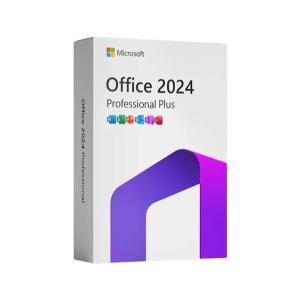
Microsoft Office 2024 Professional Plus LTSC
$17 $25

 Multilingual SoftArchive.png)
Fusion is the world’s most advanced compositing software for visual effects artists, broadcast and motion graphic designers, and 3D animators. Over the last 30 years, Fusion has been used on thousands of Hollywood blockbuster movies and television shows. Fusion features a powerful node based interface that lets you quickly and easily create sophisticated effects by connecting different types of image processing tools together! You get a massive range of tools, incredible VR and 3D support, GPU accelerated performance, unlimited network rendering and more! Fusion gives you everything you need to create exciting broadcast graphics, dramatic titles, and even major feature film visual effects!
What’s New in Fusion 21
Compositions you
create on the Fusion page can now be saved as a template and used on the
edit or cut page! New animation curve modifiers can be used to
automatically retime animations when you change their duration in an
edit. Audio playback with waveform display makes it easier to create
precisely timed animations, there are shared markers with the edit page
and more. In addition, 27 GPU accelerated Resolve FX have been added to
the Fusion page, including the noise reduction and sharpening tools from
the color page! New node view bookmarks make it easy to navigate large
comps, the toolbar can be customized with your favorite tools, and
vertical layouts are supported in the node editor.
Build Your Own Effects with Customizable Templates
Fusion effect templates let you create any effect imaginable and apply
them to clips on the edit and cut pages! Simply build a composition,
save it as a macro, define the parameters you want to make visible, and
save it in the correct location. Just drag Fusion effect from the
library onto any clip!
Automatically Retime Animations
Animation curve modifiers let you easily stretch or squish keyframes and
add bounce, mirror or loop animations that automatically change when
the duration of the composition changes. When you drop Fusion titles or
effects onto the timeline and change its duration, the animation adjusts
accordingly!
Sync Audio Animations
The Fusion page can now
playback audio from the edit or cut page timeline. You can choose a mix
down from the timeline, or you can listen to the source clip’s audio.
Waveforms are displayed in the keyframe editor, allowing you to create
precisely timed
Custom Vector Shapes
Vector shape tools make
it easier to create motion graphics! You get ellipsis, rectangles,
polygons and stars, along with boolean operators for combining shapes to
create intricate designs. Grid, jitter, offset and transform, let you
customize animations. Shapes can also be used as particle sources!
GPU Accelerated Resolve FX
The Fusion page has 27 new GPU accelerated Resolve FX. This includes
the color page’s noise reduction and sharpening tools, along with lens
blur, light effects, color effects, revival image restoration tools and
more. You also get texture and stylize, temporal effects, warping and
beauty tools.
Personalize Your Workflow
Node tree bookmarks
let you quickly navigate to any part of the node tree in a large
composition. Customizable toolbars let you quickly switch toolbars based
on the current task. Vertical node tree layouts give you more room to
view the spline and keyframe editors when creating animations, and more.
Hollywood’s Biggest Blockbusters
Thousands of Hollywood’s biggest blockbusters and hit television shows
use Fusion to create their groundbreaking visual effects. Fusion has
been used on feature films like Ant-Man, Red Sparrow and London Has
Fallen, as well as hit television shows like Empire, NCIS and Emergence.
Fusion also plays a major role in the development of cinematics for
major video games such as Dawn of War III, Halo 5 and more!
Nodes are a Much Faster Way to Work!
Nodes are incredibly easy to use, especially as scenes become more
complex. Fusion’s nodes are small icons that represent effects, filters
and other image processing operations. Nodes can be easily connected
together to build larger and more complex visual effects. Tools, images,
and objects can be combined in any order to create unlimited visual
effects. Simply click on a node to quickly adjust any single part of
your project. That’s much faster than a timeline based tool because you
don’t need to hunt through nested stacks of confusing layers and
filters!
Get the most Powerful VFX Software Available!
Whether
you need to pull a key, track objects, retouch images, animate titles,
or create amazing particle effects, Fusion has a massive toolset that
lets you tackle the most demanding jobs. You get a true 3D workspace
along with tools for compositing, keying, painting, animation, virtual
reality, stereoscopic 3D and more. Fusion combines effects and motion
graphics, along with 3D modeling and rendering into a single toolset.
That means you can import and render 3D models and scenes with the rest
of your composite in Fusion. You don’t have to pre‑render assets or
transfer between multiple applications!
.png)
.png)
.png)
